More
Install the App
Nortefy works as an app on your phone. A few taps put it on your home screen — full screen, its own icon, no app store and nothing to download.
What installing means
Nortefy is a progressive web app: the site you already use can install itself straight from the browser. Installed, it opens full screen without browser toolbars, gets its own icon on your home screen, and keeps you signed in — same account, same data as anywhere else you open Nortefy.
You won't find Nortefy in the App Store or Play Store — installing happens right from the browser and takes a few seconds. Updates arrive on their own too: the installed app always opens the latest version, with nothing to update by hand.
On iPhone
-
Open nortefy.app in Safari
Sign in if you aren't already. Using another browser? Open the page in Safari first — the install option lives in its share sheet.
-
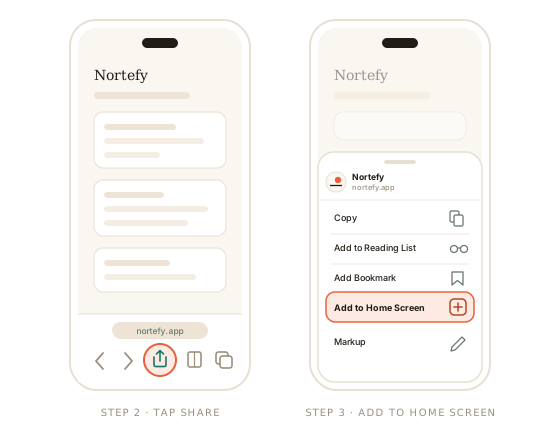
Tap Share
The square with an arrow, in the toolbar at the bottom of the screen.
-
Tap Add to Home Screen
Scroll the sheet down a little if you don't see it right away.
-
Tap Add
Top-right corner. The Nortefy icon lands on your home screen.
On Android
-
Open nortefy.app in Chrome
Sign in if you aren't already. Other Android browsers keep the same option under their own menu.
-
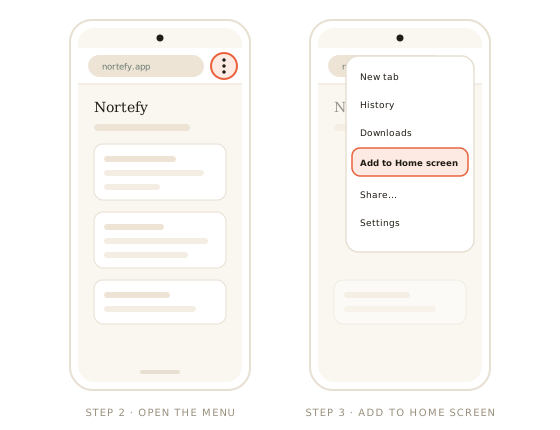
Tap the ⋮ menu
The three dots in the top-right corner.
-
Tap Add to Home screen
Some versions of Chrome call it Install app — same thing.
-
Confirm with Install
The Nortefy icon lands on your home screen.
After installing
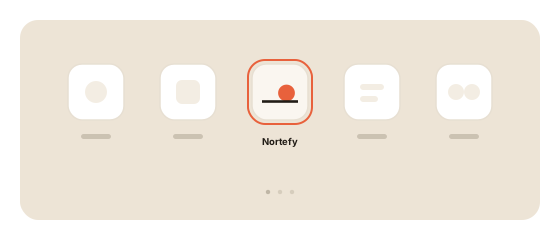
Tap the icon and Nortefy opens like any other app — full screen, straight to your dashboard. On Android, a long press on the icon offers shortcuts that jump directly to the Daily Log or the Journal.
Removing the icon removes nothing — your data lives in your account, not on the phone, so you can uninstall and reinstall any time. And installing is entirely optional: Nortefy in a browser tab is the exact same app.